Different schedules can make the ordinary parts of a relationship feel far away: sitting nearby, doing separate things, or sharing a small joke during a busy afternoon. A custom desktop companion can be one playful reminder of that closeness. It is not a messaging app, live avatar or substitute for a conversation. The idea is simply to put a photo you chose together somewhere you will see it.
Make the choice part of the gesture
Ask which picture they would actually like you to use. A favorite portrait, your shared pet or a character you created together can carry more meaning than a random selfie. If you use a picture of your partner, get their permission before uploading it; avoid private or intimate images.
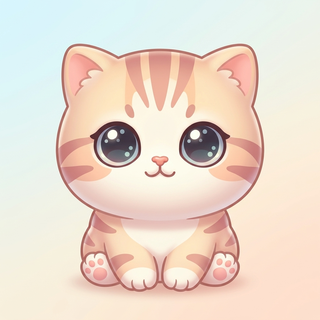
Then choose the style together. A playful chibi version, a soft plush look or pixel art can fit different tastes. AI generation creates a new interpretation, so frame it as a tiny character inspired by the photo rather than a perfect miniature of a real person. A shared pet is an easy alternative when neither of you wants to use a portrait.
Give it one small ritual
Keep the ritual easy enough that it does not become another obligation. You could send a screenshot when you finish studying, compare your tiny companions after a long day, or use the same nickname you already use for your pet. The meaning comes from the two of you, not from an app telling you how a relationship should work.
A still photo with a short note is also a good option. Use the animated version only if having movement on your desktop makes you smile. There is no need to turn it into a daily streak, a response deadline or a way of checking whether the other person is online.
- Pick one photo together and explain why you like it.
- Give the companion a name that means something to you.
- Share an occasional moment, without expecting an immediate reply.
Know what the app does before you buy
Peekoo runs on Mac and Windows. It makes a local desktop companion from a photo through online generation; it does not show your partner’s live activity, transmit their emotions or connect two pets across computers. Each person installs and uses the app on their own device.
The download includes a built-in pet to try. Creating a personal companion requires a paid plan and is subject to generation limits. If you want to make this a gift, check the current plans and activation terms first rather than assuming a purchase can be transferred or shared. No gift-delivery or cross-device visiting feature is promised here.
Keep the surprise in the message, not the upload
You can still make a thoughtful reveal after agreeing on the photo. Record a few seconds against a clean desktop and send it with something specific: “A tiny version of our favorite roommate is keeping me company.” Keep names, notifications and private conversations out of the recording.
For a public post, ask before showing your partner’s photo or likeness, and say if the character was made with AI. If you prefer to keep the gesture between you, there is no reason to post it. The point is that it feels personal, not that it looks like everyone else’s relationship trend.
Find a look you both like
Free download with a built-in pet. Custom photo generation requires a paid plan and is subject to generation limits.